
ZATCA Phase 2 (Fatoora Integration) is not optional. Since January 2023, the Zakat, Tax and Customs Authority has been rolling out mandatory real-time e-invoicing requirements in waves across all VAT-registered businesses in the Kingdom of Saudi Arabia. Failure to comply carries financial penalties ranging from SAR 5,000 to SAR 50,000 (USD 1,333–USD 13,333) per violation — and repeated non-compliance can trigger full operational audits.
For businesses already operating on Zoho Books, the good news is that Zoho has achieved ZATCA Phase 2 certification and offers a structured integration pathway with the Fatoora portal. This guide walks you through every technical and operational step — from Certificate Signing Request (CSR) generation to XML invoice transmission — while also addressing the often-overlooked dimension of Phase 2 data encryption and security architecture.
Penalty Risk: SAR 5,000 – SAR 50,000 Per Violation
ZATCA enforces Phase 2 compliance through a wave-based rollout. If your business has been notified of your integration wave, you have a 6-month window to achieve full compliance. Missing this deadline exposes your organization to escalating financial penalties and potential suspension of VAT registration.
Quick Comparison: Zoho Books vs. Wafeq vs. Oracle NetSuite for ZATCA Phase 2
Before committing to an implementation path, Saudi finance leaders need a clear-eyed view of the available platforms. The table below benchmarks the three most commonly evaluated solutions in the GCC market:
| Criteria | Zoho Books | Wafeq | Oracle NetSuite |
|---|---|---|---|
| Starting Price | USD 15/mo ≈ SAR 56/mo |
USD 49/mo ≈ SAR 184/mo |
USD 999+/mo ≈ SAR 3,746+/mo |
| Arabic RTL Support | ✔ Full RTL Interface | ✔ Full RTL Interface | ⚠ Partial (via localization) |
| ZATCA Phase 2 Certified | ✔ Certified | ✔ Certified | ⚠ Via 3rd-party connector |
| SAR / AED Currency | ✔ Native | ✔ Native | ✔ Native |
| KSA Data Residency | ✔ KSA Data Center | ⚠ UAE-based (DIFC) | ✔ Oracle Cloud KSA |
| GCC VAT Law Compliance | ✔ KSA + UAE VAT | ✔ KSA + UAE VAT | ✔ Full GCC |
| Local Zoho/Oracle Office | ✔ Riyadh & Jeddah | ✗ Remote only | ✔ Riyadh |
| Best For | SMEs to Mid-Market in KSA/UAE | Startups & SMEs in GCC | Enterprise & Multi-entity Groups |
Consultant's Take
For Saudi businesses with annual revenues between SAR 1M and SAR 500M, Zoho Books represents the strongest ROI among ZATCA-certified platforms. Its combination of local data residency, physical presence in Riyadh and Jeddah, full Arabic RTL support, and competitive pricing makes it the default recommendation for mid-market KSA operators.
ZATCA Phase 2 (Fatoora) Compliance: What Your Business Actually Needs
The Three Pillars of Phase 2 Compliance
Phase 2 goes significantly beyond Phase 1's requirement to simply generate and store e-invoices. Under Fatoora Integration, every invoice must meet three non-negotiable technical requirements:
1. UBL 2.1 XML Generation
Every invoice must be generated in Universal Business Language (UBL) 2.1 XML format with ZATCA-specific extensions. PDF/A-3 with embedded XML is required for standard invoices.
2. Cryptographic Stamping
Each invoice must carry an ECDSA (Elliptic Curve Digital Signature Algorithm) cryptographic stamp using your ZATCA-issued certificate. This ensures tamper-proof authenticity.
3. Real-Time Clearance / Reporting
B2B invoices above SAR 1,000 require real-time clearance from ZATCA before delivery to the buyer. B2C invoices require near-real-time reporting within 24 hours.
15% KSA VAT Handling in Zoho Books
Saudi Arabia applies a standard 15% Value Added Tax (VAT) rate, introduced in 2020. Zoho Books handles this through a pre-configured KSA VAT tax group that automatically applies to taxable supplies. Key configuration points include:
- Setting your Tax Registration Number (TRN / VAT Number) in Organization Settings
- Configuring zero-rated supplies (exports, international transport) separately from exempt supplies
- Enabling reverse charge mechanism for imported services
- Mapping each product/service to the correct ZATCA supply type code (Standard, Zero-Rated, Exempt, Out-of-Scope)
The CSR Onboarding Process: Technical Overview
The Certificate Signing Request (CSR) is the cryptographic foundation of your ZATCA Phase 2 integration. It binds your Zoho Books instance to a specific ZATCA-registered device identity. Here is what the CSR contains and why each field matters:
Phase 2 Fatoora Integration Security & Data Encryption: The Overlooked Dimension
Most implementation guides focus exclusively on the functional steps of ZATCA integration. What they consistently fail to address is the security architecture that underpins Phase 2 compliance — and the significant data breach and audit risks that arise from misconfigured encryption. This section provides the perspective that Saudi CFOs and IT Security Officers need before going live.
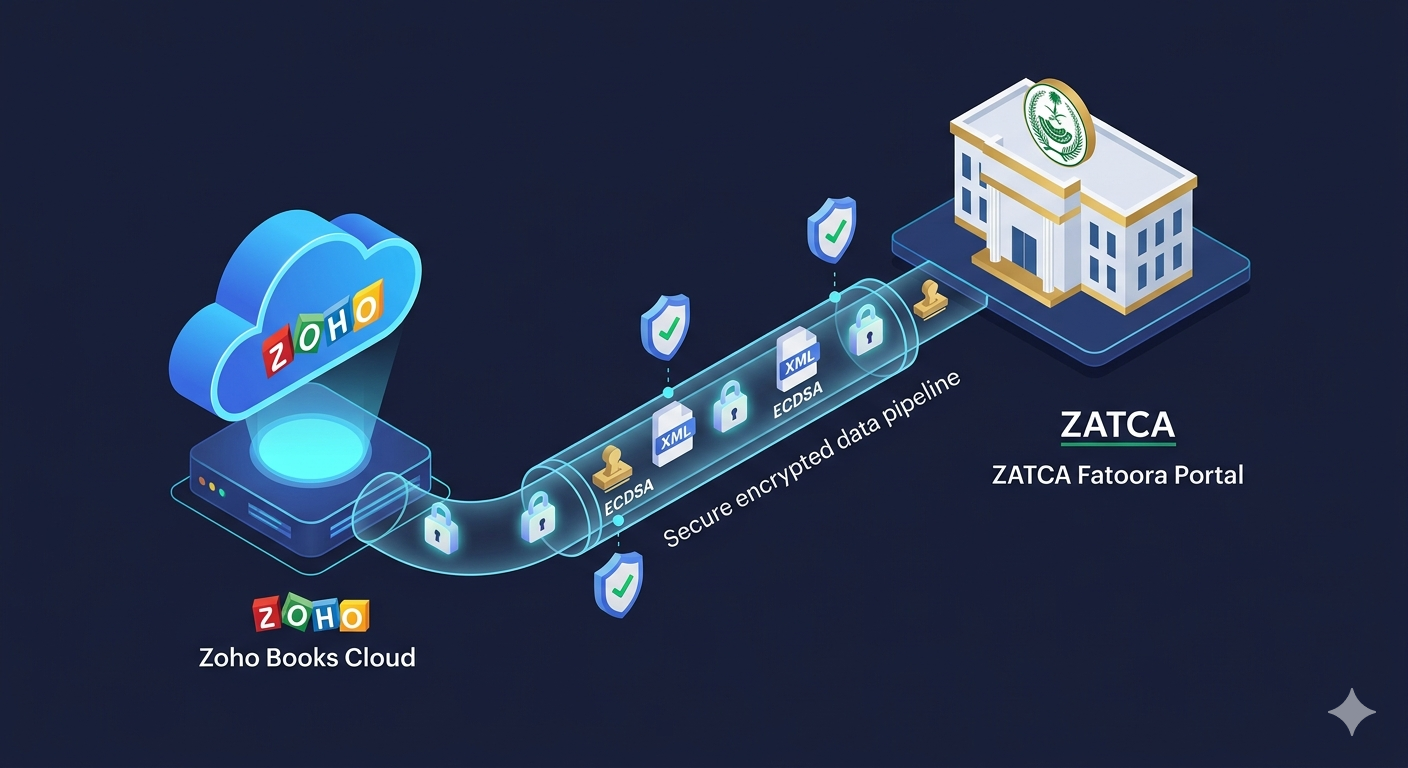
ECDSA Cryptographic Stamping: How It Works
ZATCA mandates the use of Elliptic Curve Digital Signature Algorithm (ECDSA) with the secp256k1 curve — the same cryptographic standard used in Bitcoin's transaction signing. Each invoice is hashed using SHA-256, and the resulting hash is signed with your private key (stored securely within Zoho's key management infrastructure). The ZATCA Fatoora portal then verifies this signature using your public key certificate before clearing the invoice.
What this means operationally: Your private key must never leave the secure enclave. In Zoho Books, the private key is generated and stored within Zoho's Hardware Security Module (HSM) infrastructure — it is never exposed to your administrators or transmitted over the network. This is a critical security control that distinguishes enterprise-grade ZATCA solutions from lower-cost alternatives that store keys in software.
Key Management
ECDSA private keys stored in HSM. Never exposed to application layer or administrators.
TLS 1.3 in Transit
All API calls to the Fatoora portal use TLS 1.3 with certificate pinning to prevent MITM attacks.
KSA Data Residency
Invoice data stored in Zoho's KSA data center, compliant with NDMO data sovereignty requirements.
Audit Log Integrity
Immutable audit logs for every invoice event, signed with a separate integrity key. Tamper-evident by design.
Certificate Renewal
ZATCA certificates expire. Zoho Books provides automated renewal alerts 30 days before expiry to prevent service interruption.
API Rate Limiting
Zoho's Fatoora API integration includes built-in rate limiting and retry logic to handle ZATCA portal throttling gracefully.
Data Encryption at Rest
Beyond transit security, ZATCA Phase 2 compliance requires that invoice data stored in your ERP system be encrypted at rest. Zoho Books uses AES-256 encryption for all stored invoice data in its KSA data center. For businesses subject to the Saudi Personal Data Protection Law (PDPL), this encryption standard satisfies the technical safeguard requirements for financial data containing personal information (buyer name, address, VAT number).
Security Risk: Third-Party Middleware Connectors
Several low-cost ZATCA integration vendors offer middleware connectors that intercept your Zoho API credentials and invoice data to perform XML transformation and signing on their own servers. This architecture creates a critical security vulnerability: your invoice data — including buyer VAT numbers, transaction values, and business relationships — passes through a third-party system outside your control. Always verify that your ZATCA integration performs cryptographic signing within a certified, audited environment.
Step-by-Step: Zoho Books ZATCA Phase 2 Integration
The following steps assume you have an active Zoho Books subscription with the KSA VAT Edition enabled and that your business has received its ZATCA Phase 2 wave notification. Complete these steps in sequence — skipping steps or performing them out of order is the most common cause of failed onboarding.
Verify Your ZATCA VAT Registration Status
Before touching Zoho, confirm your VAT registration is active on the ZATCA Fatoora portal (fatoora.zatca.gov.sa). Log in with your Absher/Nafath credentials and navigate to E-Invoicing → My Devices. Ensure your business category (Standard B2B, Simplified B2C, or both) is correctly registered. Mismatches between your ZATCA registration and Zoho configuration are the #1 cause of CSR rejection.
Enable ZATCA E-Invoicing in Zoho Books
In Zoho Books, navigate to Settings → Taxes → E-Invoicing. Select Saudi Arabia (ZATCA) as your jurisdiction. Enter your 15-digit VAT Registration Number, your legal entity name in Arabic (exactly as it appears on your Commercial Registration), and your registered business address. Save and proceed to CSR generation.
Critical: The Arabic legal name must match your ZATCA registration character-for-character. Even a single diacritic difference will cause CSR rejection.
Generate the Certificate Signing Request (CSR)
Click "Generate CSR" within the ZATCA integration panel. Zoho will prompt you to specify:
- Invoice Type: Standard (B2B) or Simplified (B2C) or Both
- Device Serial Number: A unique identifier for this Zoho instance (auto-generated or custom)
- Industry Code: Your ISIC4 classification
Zoho generates the CSR file using ECDSA secp256k1. Download and securely store this CSR file — you will need it in the next step. The corresponding private key is retained securely within Zoho's HSM and is never accessible to you directly.
Submit CSR to the Fatoora Portal & Obtain OTP
Log in to the ZATCA Fatoora portal. Navigate to E-Invoicing Solutions → Onboard New Device. Upload your CSR file. The portal will validate the CSR fields against your ZATCA registration data. Upon successful validation, ZATCA will issue a one-time password (OTP) — valid for 1 hour — and a Compliance CSID (Certificate).
Important: The OTP is sent to the mobile number registered with ZATCA (via Absher). Ensure the authorized signatory is available during this step.
Complete Device Onboarding in Zoho Books
Return to Zoho Books → ZATCA Integration. Enter the OTP received from the Fatoora portal and upload the Compliance CSID certificate issued by ZATCA. Zoho will use the OTP to complete the cryptographic handshake and activate your device. Upon success, you will see a green "Device Onboarded" status with your certificate expiry date displayed.
Run Compliance Checks (Sandbox Testing)
Before going live, use ZATCA's Compliance API (available in the Fatoora developer portal) to test invoice submission. Zoho Books provides a built-in Test Mode that submits sample invoices to the ZATCA sandbox environment. Run at least 5 test invoices covering: standard taxable supply, zero-rated export, credit note, debit note, and a simplified B2C invoice. All must return a CLEARED or REPORTED status before you activate production mode.
Activate Production Mode & Monitor
Switch Zoho Books ZATCA integration from Test to Production Mode. From this point, every invoice generated in Zoho Books will automatically be XML-formatted, cryptographically stamped, and submitted to the Fatoora portal for clearance (B2B) or reporting (B2C) before delivery to your customer. Set up email alerts for any invoice rejection events — ZATCA rejections must be resolved within the same business day to avoid compliance gaps.
Zoho Books Localized Features for KSA & GCC Businesses
Beyond ZATCA compliance, Zoho Books has invested significantly in features that address the specific operational requirements of Saudi and GCC businesses. These are not afterthoughts — they reflect Zoho's physical presence in Riyadh and Jeddah and its direct engagement with Saudi enterprise customers.
SAR & AED Native Currency
Saudi Riyal (SAR) and UAE Dirham (AED) are first-class currencies in Zoho Books. Multi-currency invoicing with real-time exchange rates is supported for GCC cross-border transactions.
Full Arabic RTL Interface
The entire Zoho Books interface — menus, reports, invoice templates, and customer communications — renders in Right-to-Left Arabic. Bilingual (Arabic/English) invoice templates are available out of the box.
GCC VAT Law Compliance
Pre-configured for KSA 15% VAT and UAE 5% VAT. Supports the GCC Unified VAT Agreement's cross-border supply rules, including the place-of-supply determination for services.
KSA Data Residency
Zoho operates a dedicated data center in Saudi Arabia, ensuring all financial data remains within the Kingdom — a requirement for government contractors and regulated industries under NDMO guidelines.
Mada & STC Pay Integration
Through Moyasar and PayTabs gateway integrations, Zoho Books supports Mada debit card payments and STC Pay — the two dominant local payment methods in Saudi Arabia.
Local Support in Riyadh & Jeddah
Zoho's physical offices in Riyadh and Jeddah provide Arabic-speaking enterprise support, on-site implementation assistance, and direct escalation paths for ZATCA compliance issues.
Trust Factor for Saudi CFOs
Zoho's local presence in Riyadh and Jeddah is a significant differentiator in the KSA market. Saudi CFOs and procurement committees consistently cite local accountability — the ability to meet with a vendor representative in-Kingdom, in Arabic — as a top-3 selection criterion for enterprise software. Zoho is one of the few international ERP vendors that meets this requirement at a mid-market price point.
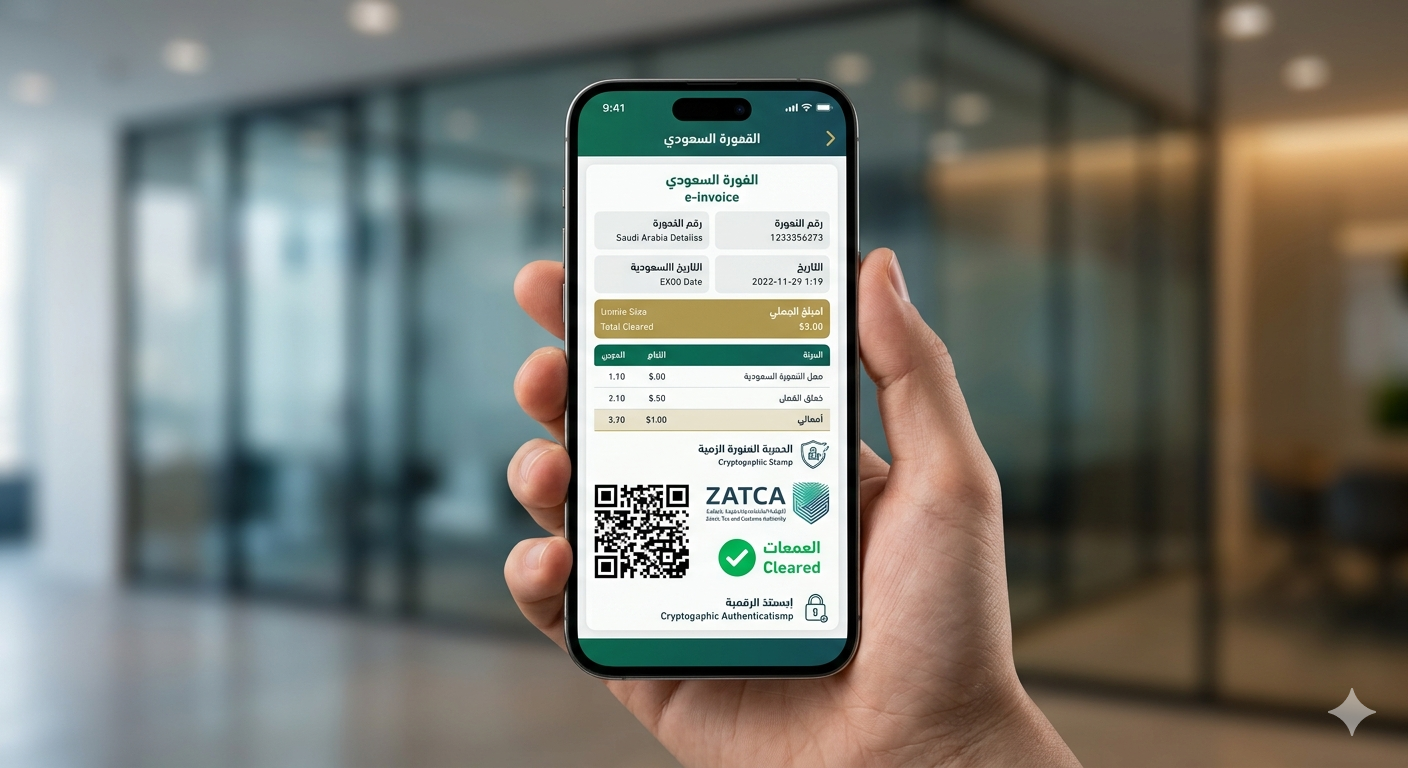
Common ZATCA Integration Pitfalls (And How to Avoid Them)
Based on implementation experience across multiple KSA businesses, the following errors account for the majority of ZATCA Phase 2 integration failures and invoice rejections:
-
Incorrect Address Format in XML
ZATCA's XML schema requires the seller's address to be split into specific fields:StreetName,BuildingNumber,CityName,PostalZone,CountrySubentity, andCountry. Many businesses enter their full address as a single string in Zoho, which causes XML validation failures. Fix: Use Zoho's structured address fields and ensure the postal code (5-digit Saudi postal code) is correctly entered. -
Unit Price vs. Line Extension Amount Mismatch
ZATCA validates thatLineExtensionAmount = UnitPrice × Quantitywith no rounding discrepancy. Businesses that apply discounts at the line level before calculating the extension amount frequently trigger this error. Fix: Configure Zoho Books to apply discounts at the invoice level, not the line level, or use ZATCA-compliant discount fields (AllowanceCharge) in the XML. -
Arabic Legal Name Mismatch
The seller's legal name in the XML must exactly match the name registered with ZATCA — including Arabic diacritics (tashkeel), definite articles (ال), and punctuation. A single character difference causes CSR rejection or invoice clearance failure. Fix: Copy-paste your legal name directly from your ZATCA portal profile into Zoho Books. -
Expired ZATCA Certificate Not Renewed
ZATCA compliance certificates have a defined validity period. Businesses that fail to renew before expiry will have all invoices rejected by the Fatoora portal — creating a compliance gap that is difficult to remediate retroactively. Fix: Enable Zoho Books' certificate expiry alerts and assign a dedicated compliance owner responsible for renewal. -
Incorrect Invoice Type Code for B2C Transactions
Simplified tax invoices (B2C) use a different ZATCA invoice type code (388 for simplified) than standard tax invoices (388 for standard B2B). Mixing these codes — common when businesses serve both B2B and B2C customers — causes systematic rejection. Fix: Configure separate invoice templates in Zoho Books for B2B and B2C customers, with the correct ZATCA invoice type code mapped to each.
Local Business Verdict: Is Zoho Books Right for Your KSA Business?
For Saudi SMEs and mid-market businesses (annual revenue SAR 1M–500M), Zoho Books is the strongest available combination of ZATCA Phase 2 compliance, Arabic-first user experience, local data residency, and cost efficiency. At USD 15–40/month (SAR 56–150/month) for the KSA VAT Edition, it delivers enterprise-grade compliance capabilities at a fraction of the cost of Oracle NetSuite or SAP Business One.
For large enterprises (revenue above SAR 500M, multi-entity structures, or complex manufacturing/project accounting), Oracle NetSuite or SAP S/4HANA with a certified ZATCA connector may offer better scalability — though at 20–50x the cost.
The decisive factor for most Saudi CFOs is Zoho's physical presence in Riyadh and Jeddah. In a regulatory environment where ZATCA compliance failures carry real financial penalties, having a vendor with in-Kingdom accountability — Arabic-speaking support, local implementation partners, and direct escalation paths — is not a luxury. It is a risk management requirement.
Frequently Asked Questions: ZATCA Phase 2 & Zoho Books
What is ZATCA Phase 2 e-invoicing and when does it apply to my business?
ZATCA Phase 2 (Fatoora Integration) mandates that all VAT-registered businesses in Saudi Arabia generate and transmit XML-formatted e-invoices in real-time or near-real-time to the ZATCA Fatoora portal. The rollout began in January 2023 for large taxpayers (annual revenue above SAR 3 billion) and continues in waves down to smaller businesses. ZATCA notifies each business of its integration wave at least 6 months in advance. Non-compliance carries penalties of SAR 5,000–50,000 (USD 1,333–13,333) per violation.
Does Zoho Books support Arabic RTL interface and ZATCA Phase 2 compliance?
Yes. Zoho Books offers a full Right-to-Left (RTL) Arabic interface and is ZATCA Phase 2 certified. It supports UBL 2.1 XML invoice generation, ECDSA cryptographic stamping, QR code embedding (TLV-encoded as per ZATCA specifications), and direct API submission to the Fatoora portal for both clearance (B2B) and reporting (B2C) workflows. Bilingual Arabic/English invoice templates are available as standard.
How do I generate a CSR (Certificate Signing Request) in Zoho Books for ZATCA onboarding?
Navigate to Settings → Taxes → E-Invoicing → ZATCA Integration in Zoho Books. Click "Generate CSR" and complete the required fields: your 15-digit VAT registration number, legal name in Arabic (exactly as registered with ZATCA), device serial number, invoice type (Standard/Simplified/Both), and ISIC4 industry code. Zoho generates the CSR using ECDSA secp256k1 cryptography. Download the CSR file and submit it to the ZATCA Fatoora portal under E-Invoicing → Onboard New Device. You will receive an OTP and Compliance CSID certificate to complete the onboarding in Zoho.
Does Zoho Books support Mada and STC Pay for Saudi Arabia?
Yes. Zoho Books integrates with local Saudi payment gateways including Mada (via Moyasar and PayTabs) and STC Pay through supported payment gateway partners. These integrations allow customers to pay invoices directly from the e-invoice payment link, improving collection cycles for KSA businesses. The payment confirmation is automatically reconciled against the invoice in Zoho Books, eliminating manual matching.
What are the data residency requirements for ZATCA Phase 2 and does Zoho comply?
ZATCA and the Saudi National Data Management Office (NDMO) require that e-invoice data for KSA businesses be stored within Saudi Arabia or in compliant jurisdictions. Zoho operates a dedicated data center in the Kingdom of Saudi Arabia and offers a KSA data residency option for Zoho Books, ensuring full compliance with local data sovereignty laws. This is particularly important for government contractors, financial institutions, and businesses in regulated sectors (healthcare, defense, energy) that are subject to stricter data localization requirements.
Key ZATCA & Fatoora Terminology Reference
| Term | Definition | Relevance to Zoho Integration |
|---|---|---|
| Fatoora Portal | ZATCA's official e-invoicing platform (fatoora.zatca.gov.sa) for device onboarding, invoice clearance, and reporting | Zoho Books connects directly to the Fatoora API for real-time invoice submission |
| XML Invoicing KSA | UBL 2.1 XML format with ZATCA-specific extensions, required for all Phase 2 e-invoices | Zoho Books auto-generates compliant XML for every invoice |
| Cryptographic Stamp | ECDSA digital signature applied to each invoice hash, ensuring tamper-proof authenticity | Applied automatically by Zoho using your ZATCA-issued certificate |
| Phase 2 Integration | The Fatoora Integration phase requiring real-time clearance/reporting of e-invoices to ZATCA | Zoho Books is ZATCA Phase 2 certified and supports both clearance and reporting modes |
| Zoho Books KSA VAT Edition | Zoho Books configured for Saudi Arabia with 15% VAT, Arabic RTL, ZATCA Phase 2, and KSA data residency | The specific Zoho product required for ZATCA compliance in Saudi Arabia |
| CSID | Compliance Solution Identifier — the certificate issued by ZATCA after successful CSR onboarding | Must be uploaded to Zoho Books to activate production invoice submission |
| TLV QR Code | Tag-Length-Value encoded QR code embedded in every ZATCA e-invoice for verification | Zoho Books generates TLV QR codes automatically per ZATCA specifications |